GetSet Integration
We are excited to release an integration with GetSet, the hottest new app for anyone sourcing props.
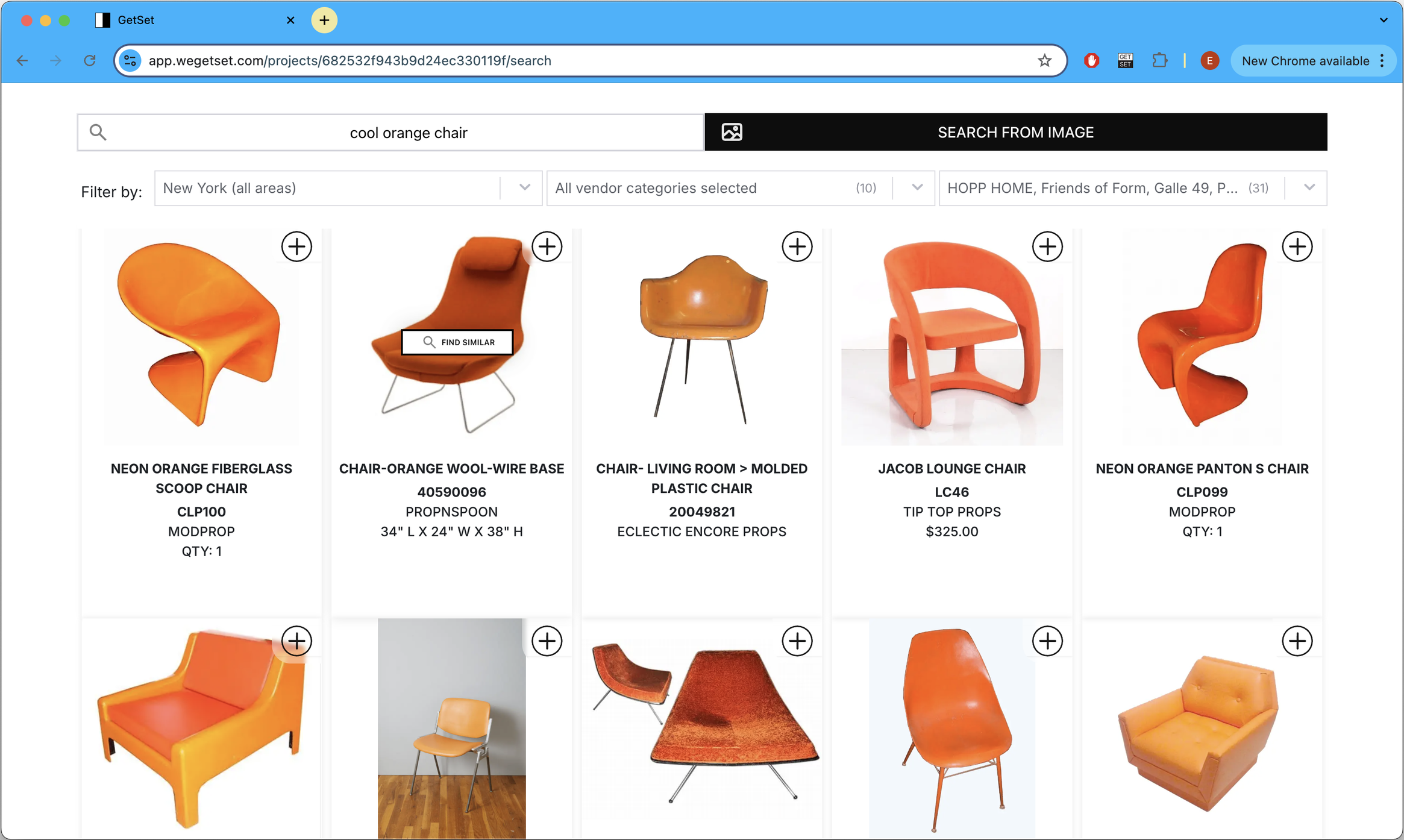
What is GetSet?
GetSet is a productivity app for stylists and set decorators.
It's features include:
- Searching for props and set dressing from many vendors at once
- Saving selections in their app
- Generating shareable decks / set lists in Google Slides
- Send quote/hold requests to vendors
Learn more here: https://www.wegetset.com/how-it-works
How it works
To enable the integration, go to your Dashboard Integration Settings and toggle on Share with GetSet?.
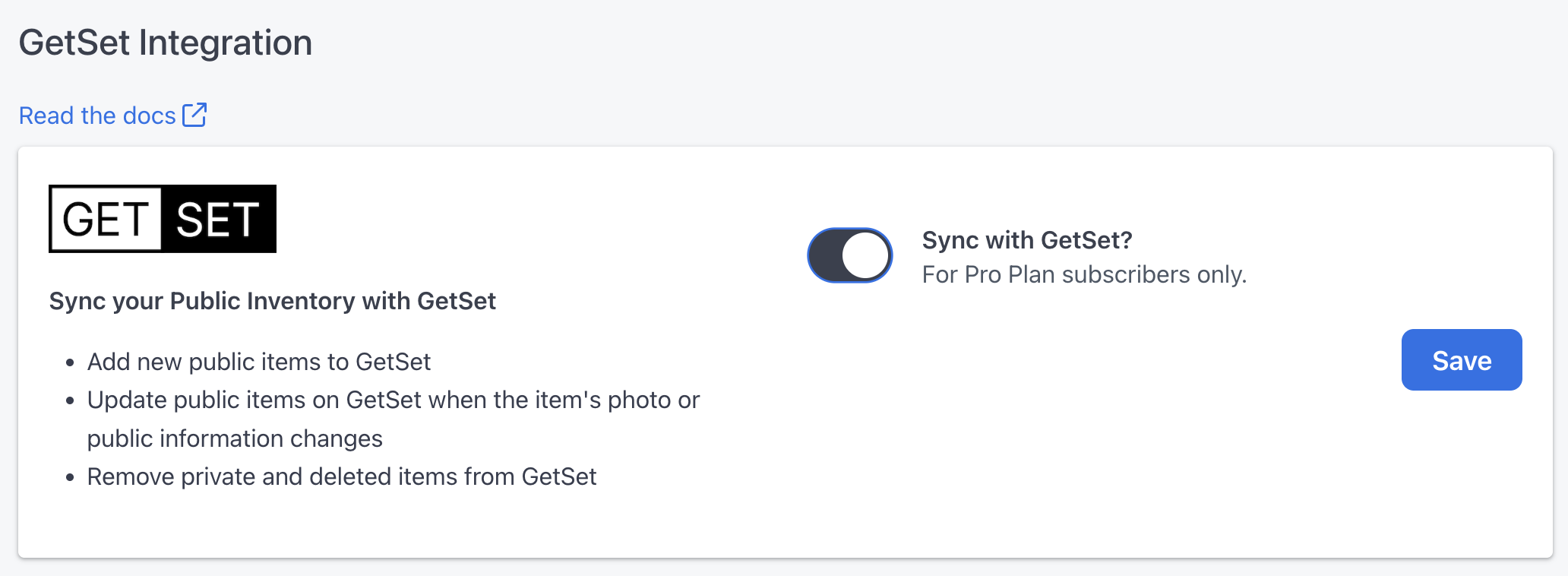
What the Integration Does
- When you add a new public item on Propcart, it's added to GetSet.
- When you update a public item’s details (title, description, tags, price, photos), it’s updated in real time on GetSet.
- When you delete a public item or make it private, it’s immediately removed from GetSet.
- When you enable the integration, all your public items are added to GetSet.
- When you disable it, all your public items are removed from GetSet.
What the Integration Does Not Do
- Private items and non-public information are not shared with GetSet.
- If you hide prices on your website, those prices are not shared with GetSet.
- Item availability (Available, On Hold, Unavailable for a given date) is not shared with GetSet.
Rent and Sell on the GetSet Marketplace
With the marketplace turned on, you can:
- Receive quote requests from GetSet buyers by email and in your Dashboard, and create orders from them just as easily as from your website or the Propcart Marketplace.
- Send quotes to buyers through GetSet.
- Email buyers everything else from your Dashboard as usual, like the Pickup Sheet, Checkout Sheet, and invoice.
- Get paid by card through GetSet when the buyer confirms, with the invoice and payment recorded in Propcart automatically. Or let buyers pay by invoice.
- Keep GetSet up to date automatically as you work on the order.
Turning on the marketplace
The marketplace is for paid subscribers, and it needs Share with GetSet? turned on so GetSet always has your current inventory.
- In your Dashboard Integration Settings, under Rent and Sell on the GetSet Marketplace, turn on Sell on the GetSet Marketplace? and click Save.
- Click Complete GetSet payment setup and finish setting up your payouts on GetSet, so buyers can pay you by card.
Pay by Invoice on the GetSet Marketplace
GetSet buyers pay by card through GetSet. If you turn on pay by invoice, a buyer can ask to pay you directly instead, by check, ACH, wire or however you agree. You accept or decline each request.
Turning it on
In your Dashboard Integration Settings, under Rent and Sell on the GetSet Marketplace, turn on Accept pay-by-invoice requests? and click Save. The setting appears once the marketplace is turned on.
When a buyer asks
You get an email, and the order shows an alert: The GetSet buyer wants to pay by invoice instead of by card. It includes the buyer's note, if they left one, such as how and when they plan to pay. Click Accept or Decline in the alert.
Accepting a request
- Accepting confirms the order and creates an unpaid invoice on the order's terms. If you agreed different terms with the buyer, change them on the invoice.
- The Processing Fee field changes the order's credit card fee for this payment. Lower it if you don't need to cover card fees, or raise it if you charge for invoice payments. The new total shows before you accept.
- Email the invoice to the buyer with your own payment details. GetSet never sees your bank details.
- When the payment arrives, click Log Payment on the invoice. GetSet then shows the buyer that the invoice is paid.
- The invoice is yours like any other: you can send reminders and receipts, change its status, or set it to Draft to edit the order.
Declining a request
You can add a reason, which GetSet shows the buyer. The order stays a quote, and the buyer can still pay by card.
Card payments still go through GetSet
- Stripe payments are disabled on GetSet orders, and invoice emails for them have no pay button. Pay by invoice isn't a way to take a card payment through your own Stripe account.
- If the buyer pays by card on GetSet after you accept, the payment is applied to the same invoice, as long as nothing has been paid on it yet.
- GetSet doesn't currently charge its marketplace fee on pay-by-invoice orders.
How is GetSet different than the Propcart Marketplace?
When Propcart launched in 2018, we had the same mission as GetSet. At that time, it was harder to aggregate the inventories of prop houses because many of their props were not online or easily “scrapable.” It was too costly for us to ingest prop house inventories onto the Marketplace and keep them up to date.
To make the Marketplace viable, we had to solve this inventory ingestion and accuracy problem. In 2019, we shifted our focus to providing ecommerce websites for prop houses. Because our websites and the Propcart Marketplace share the same database, the inventories are identical. But this only solves the problem for the few prop houses using a Propcart website.
Most prop houses can survive without a website, and certainly without the Propcart Marketplace. What they really need is software to track rental orders, send invoices, receive payments, and calculate taxes. So in 2020 we added rental tracking and billing software. This was a huge amount of work for a small team, and the Marketplace became a lower priority.
The Propcart Marketplace remains dear to our hearts, but it’s not a revenue generator for us. Anyone can use it for free. We now focus on providing ecommerce websites, rental tracking and billing software to prop houses, prop fabricators, and cleared art galleries. Our clients can list on the Marketplace as part of their subscription, but we no longer pursue inventory from prop houses not using our software. As a result, most Marketplace inventory comes from only a handful of prop houses, even though many more exist.
Enter GetSet. GetSet has picked up the torch of aggregating not only prop house inventories, but also those of other vendors - vintage resellers, event rentals, staging rentals, and more. Essentially, any vendor renting or selling things a set decorator or stylist might need.
GetSet vs. Propcart Listings Comparison
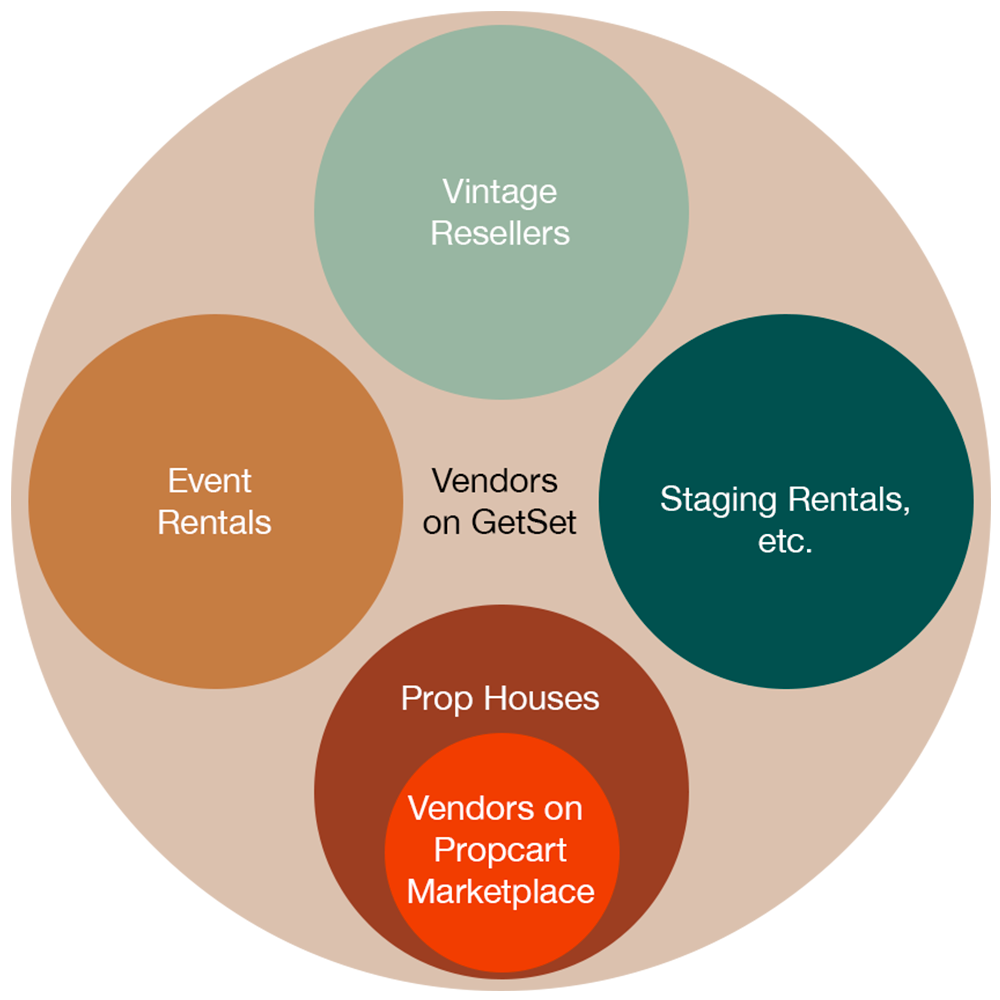
As you can see from this graphic, the Propcart Marketplace represents just a small subset of the world’s prop rentals. GetSet aims to aggregate it all.
Furthermore:
- Propcart's ideal customer is a prop house, prop fabricator or cleared art gallery that needs one unified software application to run their business.
- GetSet's ideal customer is the set decorator or prop stylist who wants to save time sourcing props and set dressing.
Working Together Helps Everyone
GetSet faces the same inventory accuracy challenges that the Propcart Marketplace did. To address this, our integration keeps your public Propcart inventory in sync with GetSet.
This benefits everyone:
- GetSet customers see the same inventory and information that's on your Propcart website and the Propcart Marketplace.
- Propcart powered prop houses avoid requests for retired items and gain more leads through GetSet.
- Both platforms minimize the computational overhead of keeping inventories in-sync.
We are excited to see GetSet grow and want to support their mission in any way we can.