Sales
The Propcart Sales system is divided into four tabs: Companies, Accounts, Orders, and Line Items.
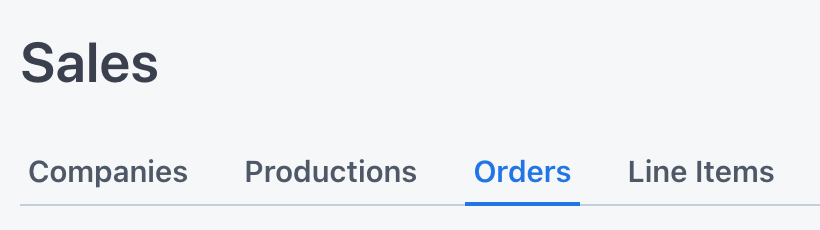
Notice this is a hierarchy of nested documents. Each document is the parent of one or more child documents to the right of it:
- Companies contain one or more Accounts
- Accounts contain one or more Orders
- Orders contain one or more Line Items
Companies
Companies are optional and mainly used as a way for grouping accounts. You can think of them as the "parent company" or studio backing the project, such as Netflix, Warner Bros., or Universal Studios.
You could also think of a Propcart company as the production company, such as the company that produces commercials.
However, a Propcart company is NOT the entity that pays your invoice; that's the Account (see below).
Companies count toward your billable records.
Accounts
In Propcart, an "account" is the business entity that:
- signs your rental agreement
- provides the certificate of insurance or security deposit
- has a unique set of contacts (e.g. buyers and accounts payable people)
- pays your invoices
Sometimes this is the production company for small commercial jobs and events. Other times this is a film or TV show. It's up to you to decide how you want to organize this, and we'll give you some tips later.
Accounts count toward your billable records.
Orders
In Propcart, we offer four different order types and as many as ten different order statuses that indicate where the order is in its lifecycle.
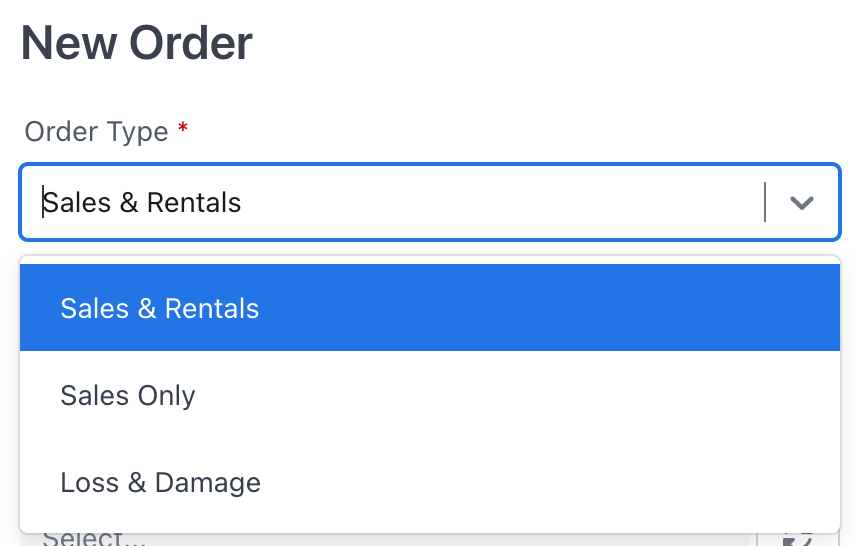
"Sales & Rentals" and "Extended Rental" type orders start off as a Quote then move to a contracted order and finally to a Returned order. They show a return date.
"Sales Only" and "Loss & Damage" type orders have fewer statuses because they're not ordinarily returned. They do not show a return date.
Orders count toward your billable records.
Line Items
Line items are the entries on an order. They can be inventory items or "ghost" items.
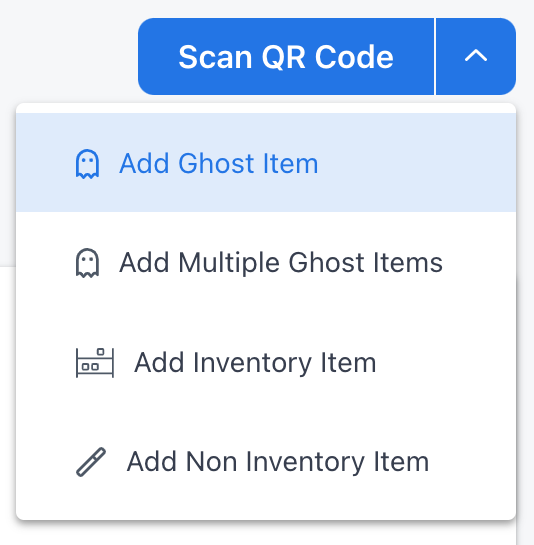
Ghost items are line items whose only identifying information is their photo; they don't have SKUs, titles, descriptions, or pricing, but they can have memos.
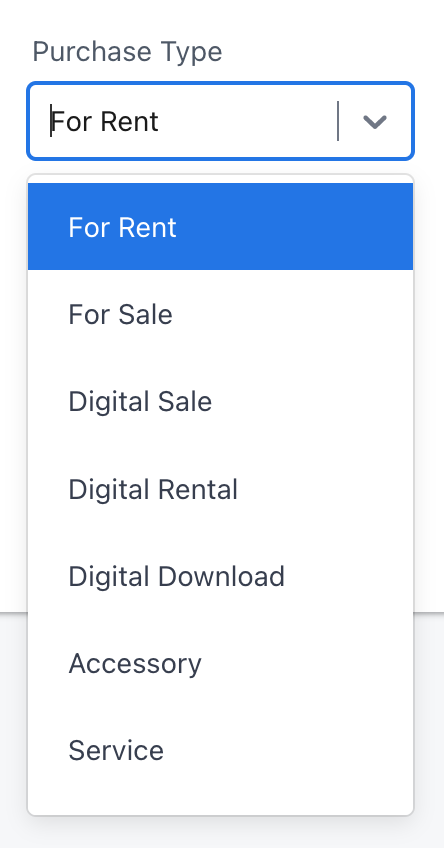
Inventory items can include physical items for rent or sale, digital items for rent or sale, services. See an item's Purchase Type: